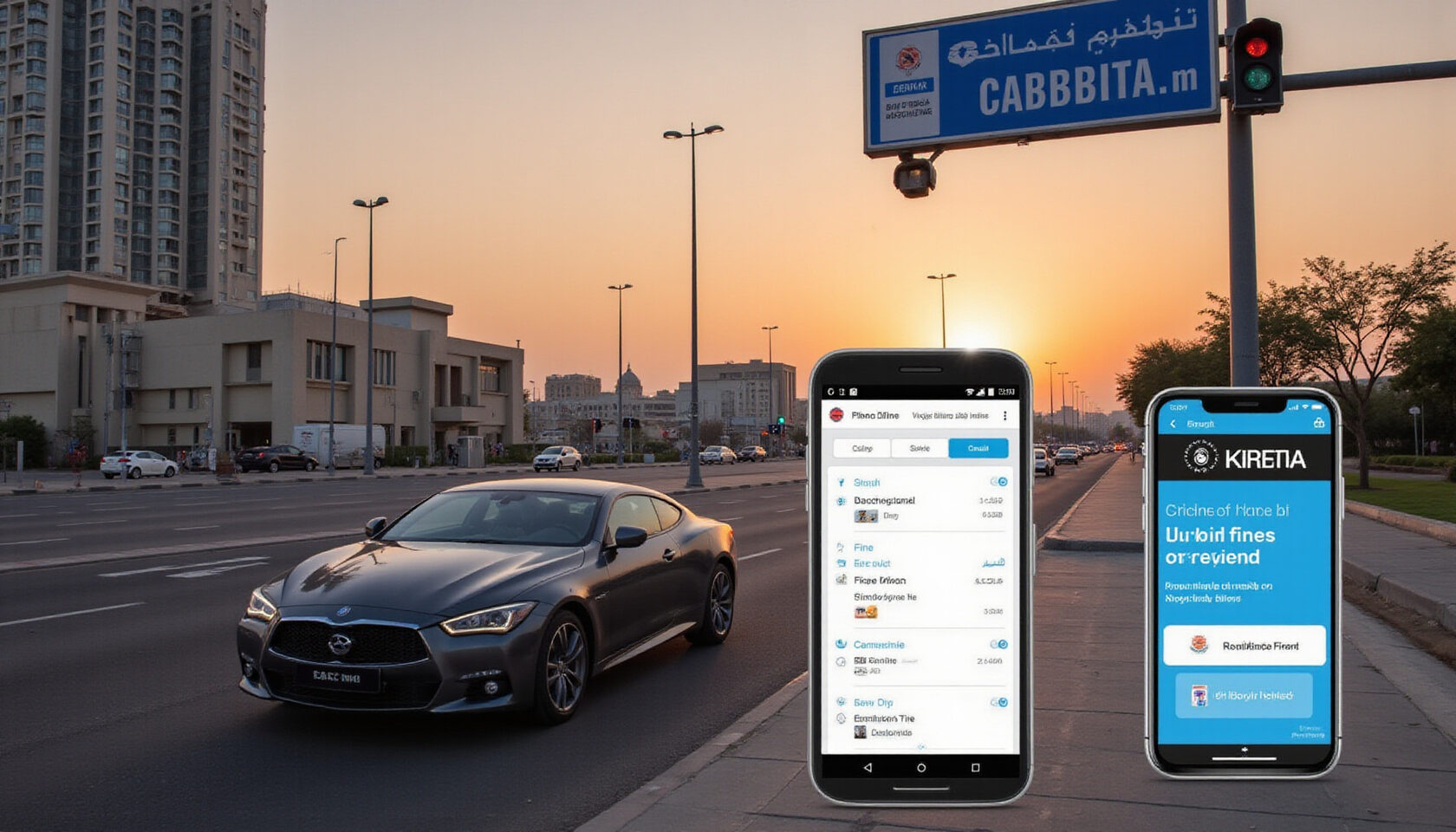
Why You Can’t Afford to Ignore Fines RTA
We’ve all seen the flashing red lights of Dubai’s traffic cameras. One minute you’re driving, the next your phone buzzes with a fine notice. The problem? The fine is not just a number – it’s a ticking clock that can snowball into hefty fees, vehicle blockages, and even legal trouble.
Do you know how quickly a small infringement can turn into a major headache? Dubai’s enforcement is lightning‑fast, with most fines posted within hours of the incident. That means the moment you hit a speed limit or park illegally, the clock starts ticking. If you ignore the notice, you risk additional penalties, higher interest, and a black‑listed status that can block your vehicle from the free‑flow lanes.
The good news? The RTA has streamlined everything into a single online hub. From a simple form on the website to the mobile app, you can check your status, view the exact amount, and pay in minutes. No office visits, no waiting in line, and no mystery about the fine’s origin.
Quick Checklist
- License number
- Vehicle plate
- Emirates ID
Having these ready speeds up the process and keeps you from missing deadlines.
Why this matters
Even a single unpaid fine can trigger a cascade: increased interest, a blocked vehicle, and potential court summons. By acting fast, you not only save money but also maintain peace of mind. Next, we’ll walk through the exact steps on the RTA website and mobile app so you can get it done in under five minutes.
How the RTA system works
The RTA’s portal is built on a single authentication layer. You enter your license, plate, and Emirates ID, and the system pulls your fine history instantly. If you’re on the mobile app, the same data is pre‑filled from your profile, saving you a click or two.
The fine amount is displayed with a clear breakdown: base penalty, interest, and any additional fees. You can see the exact date, time, and location of the offence, which helps verify its validity.
Avoiding Phishing
Always start at https://www.rta.ae or the official app. Scammers often copy the look of the site but use a slightly different domain. If the URL looks off, double‑check before entering personal data.
Payment Options
You can pay via credit card, SADAD, or cash at authorized banks. The RTA app also supports Apple Pay and Google Pay for quick transactions. Each method shows a real‑time confirmation once the payment is processed.
What Happens if You Don’t Pay?
- Interest accrues daily
- Vehicle registration can be suspended
- You may receive a summons to appear in traffic court
Keeping a habit of checking your fines every month can prevent these outcomes. Stay tuned for the next section where we dive into the step‑by‑step process on the website.
Every time you cross a red light in Dubai, a camera might be watching. That tiny blinking light can turn a simple drive into a bill that hits your inbox within minutes. We’ve all seen those notifications, but do we truly understand what’s behind the fine? Let’s dive into the heart of Dubai’s traffic enforcement and uncover why checking your RTA fine status is more than a courtesy—it’s a necessity for effective Dubai traffic violation lookup.
Dubai’s Road and Transport Authority (RTA) is the backbone of the city’s road safety. It operates a network of cameras, sensors, and traffic officers that capture violations in real time. The RTA’s legal framework, anchored in Federal Law No. 5 of 2003, assigns penalties that range from a modest 100 AED for a simple speeding ticket to over 10,000 AED for serious infractions like reckless driving. Knowing where you stand on that scale is vital.
Why bother with a fine status check? A single unpaid ticket can lead to a vehicle block, a pending fine that grows with interest, and eventually a blacklist that bars you from renting cars or even from renewing your residency. It’s not just about money; it’s about keeping your driving privileges intact.
RTA fines fall into three main categories: Speeding, Parking, and Traffic Rule Violations. Speeding tickets are issued when your speed exceeds the limit by 20 km/h or more. Parking fines appear when you leave a vehicle in a prohibited zone. Traffic rule violations cover everything from illegal turns to failure to use a seatbelt. Each category has a distinct penalty structure and escalation path.
Consequences of ignoring fines are steep. An unpaid ticket can trigger a 5 % monthly interest, and after 90 days the RTA may initiate a legal process. The vehicle can be immobilised, and the driver’s Emirates ID may be flagged, affecting everything from hotel bookings to airline check‑ins.
Checking your fine status is straightforward. On the RTA website, navigate to the “Fine Status Check” portal. Input your Emirates ID, vehicle registration number, and the fine reference number. The system will display the fine amount, date, and status—whether it’s pending, paid, or under review.
| Required Input | Description |
|---|---|
| Emirates ID | Your 14‑digit national ID |
| Vehicle Registration | The plate number in Arabic and English |
| License Number | Your vehicle’s license number (if applicable) |
| Fine Reference | The 12‑digit code on the ticket |
These fields are mandatory; missing any of them will result in an error message.
Once you’ve identified the fine, you can choose from several payment options: credit/debit card, SADAD, or even cash at authorised banks. The RTA also offers a dispute portal where you can contest a fine if you believe it was issued in error. The key is to act within 30 days of the notice, or the fine will be automatically escalated.
Official RTA website: https://www.rta.ae
Phishing warning: Be wary of any unsolicited emails or messages that claim to be from the RTA but ask for your personal details or direct you to a non‑official website.
Understanding the RTA system is only the first step. The next section will walk you through a detailed, step‑by‑step tutorial on how to navigate the RTA website, use the mobile app, and leverage trusted third‑party portals for a hassle‑free fine lookup. Stay tuned to master the process and keep your driving record spotless.
Checking and Paying Fines via RTA Website, Mobile App, and Trusted Portals
We’ve all felt the sting of a traffic fine slip through our inbox like a rogue drone. Knowing exactly how to check and pay that fine saves time, money, and a lot of headaches. Below is a straight‑forward, numbered walk‑through that covers every platform you’ll encounter.
1. RTA Website (rta.ae)
- Open https://www.rta.ae and navigate to Traffic → Traffic Fines. The page loads a single form.
- Enter your Vehicle Registration Number and License Number. A drop‑down will auto‑populate the Emirates ID field once you hit Next.
- Verify the details; a summary page shows fine type, date, location, and the amount due. If you spot an error, click Dispute to initiate the contesting process.
- Choose a payment method: credit/debit card, SADAD, or cash at an RTA office. For card payments, a secure tokenised gateway will appear. For SADAD, you’ll receive an e‑invoice link.
- After payment, a confirmation screen appears and an email is sent. Keep the receipt for your records.
2. RTA Mobile App (RTA App for iOS/Android)
- Launch the RTA app and go to Traffic → Traffic Fines.
- Scan your Emirates ID or manually enter the Plate Number and License Number.
- The app displays a list of pending fines. Tap any entry for details.
- To pay, swipe to the Pay button. The app supports Apple Pay, Google Pay, and credit cards.
- A push‑notification confirms the transaction. Save the screenshot as proof.
3. Trusted Third‑Party Portals
Officially endorsed third‑party portals for fine lookup and payment include:
- Dubai Traffic – https://www.dubaitraffic.gov.ae
- SmartPay UAE – https://smartpayuae.com
- FinesHub – https://fineshub.ae
All three portals mirror the RTA website’s input fields: License Number, Plate Number, and Emirates ID. They add a layer of convenience by allowing bulk payment and auto‑reminders.
4. Table of Required Inputs
| Field | Format | Example |
|---|---|---|
| License Number | 8‑digit numeric | 12345678 |
| Plate Number | 2‑letter + 4‑digit | AB1234 |
| Emirates ID | 14‑digit numeric | 12345678901234 |
Enter these exactly as they appear on your documents; typos trigger a “Data Mismatch” error.
5. Payment Options Explained
- Credit/Debit Card – instant settlement; no extra fees.
- SADAD – bank‑to‑bank transfer; you’ll receive an e‑invoice in your mailbox.
- Cash – visit any RTA office or authorized bank; the receipt is mandatory.
- Apple/Google Pay – available only on the mobile app; instant confirmation.
If you’re a fleet manager, consider bulk SADAD payments to streamline accounting.
6. Phishing Warning
Beware of sites that mimic rta.ae but use URLs like rta‑fine.com or rta‑pay.net. Legitimate RTA pages always start with https://www.rta.ae. If a site asks for your full Emirates ID or password, it’s a scam.
7. Contesting a Fine
- Log into the RTA portal and select Dispute next to the fine.
- Upload supporting evidence (photos, police reports, or a video of the incident).
- Submit the dispute within 14 days of the fine date. The RTA will review and notify you within 30 days.
- If the fine is upheld, you must pay the original amount plus an administrative fee. If overturned, you receive a refund.
8. Consequences of Ignoring a Fine
- Account Lock – your RTA account may be blocked, preventing new vehicle registrations.
- Blacklisting – a record of unpaid fines appears in the UAE’s Traffic Blacklist, affecting insurance premiums.
- Legal Action – persistent non‑payment can lead to court summons and potential vehicle impoundment.
9. Your Fines RTA Quick Guide PDF
Download the free Your fines rta Quick Guide checklist (PDF) from the official RTA website to keep all steps handy. It includes screenshots, a step‑by‑step flow, and a printable reminder sheet.
The next section will dive into how to set up RTA notifications and manage future fine alerts, ensuring you never miss a payment deadline again.
Dubai’s traffic cameras are relentless, turning a simple slip into a bill that lands in your inbox in minutes. Knowing exactly how each fine is categorized helps you spot which ones are most costly. In this section we’ll break down the fine types, the escalation chain, and every payment option available. We’ll also give you quick hacks to contest a fine if you think it’s wrong.
Fine Types: Speeding, Parking, and Equipment
| Fine Category | Typical Violation | Typical Fine Amount | Example Scenario |
|---|---|---|---|
| Speeding | Exceeding speed limit by 20 km/h | AED 200 | Driving on Sheikh Zayed Road at 90 km/h in a 70 km/h zone |
| Parking | Illegal parking in a no‑parking zone | AED 150 | Stopping in a 5‑minute no‑parking zone during rush hour |
| Equipment | Defective seat belt or broken lights | AED 250 | Seat belt not functioning during a police check |
Escalation Procedure: From Notice to Court
- Notice – You receive an email or SMS with a reference number.
- Pay within 3 days – If you pay, the case closes.
- Appeal – File a contestation within 15 days if you disagree.
- Court – If the appeal is denied, the fine is sent to the Traffic Court.
- Penalty – A court‑issued fine can be up to 3× the original amount.
Payment Options: Credit Card, SADAD, Cash, and More
- Credit Card – Accepted on the RTA website and mobile app; instant confirmation.
- SADAD – Bank‑to‑bank transfer; requires your Emirates ID and vehicle registration number.
- Cash – At RTA counters, but you must bring the reference number and a valid ID.
- Third‑Party Portals – Some official partners allow payment via PayPal or Apple Pay.
Contesting a Fine: When and How
If you believe the fine is incorrect, you can file a contestation within 15 days of receiving the notice. Gather evidence (photos, GPS logs, witness statements) and submit it through the RTA portal or by visiting a traffic office. The RTA will review the case and either waive or reduce the fine.
Consequences of Ignoring a Fine
- Your vehicle registration may be suspended.
- You risk being blacklisted from all UAE traffic authorities.
- Unpaid fines can lead to court summons and additional legal fees.
- Persistent non‑payment can trigger a vehicle impound.
What’s Next
In the following section we’ll walk you through setting up real‑time notifications so you never miss a fine again…
Actionable Resources: FAQ, PDF Checklist, and RTA Notifications
We’ve walked through every step of checking and paying your Dubai traffic fines, so let’s cap it off with the tools you need to stay on top of things. Grab your copy of the Your fines rta Quick Guide PDF—just a click away—and you’ll have a handy reference that covers every form field, payment option, and escalation path.
Official RTA website: https://www.rta.ae
Phishing warning: Official RTA communications come from the domain @rta.ae. If you receive an email or message asking for your Emirates ID, license number, or payment details from a different domain, it is likely a scam.
How to Set Up RTA Notifications
- Log in to the RTA mobile app or website.
- Go to Settings → Notifications.
- Toggle on Fine Alerts and Payment Reminders.
- Choose your preferred contact method—SMS or push notification.
- Save and you’re done. You’ll receive instant alerts if a new fine pops up.
FAQ
Can I contest a fine?
Yes. If you believe the fine is incorrect, you can file an appeal within 30 days of the notice. Gather evidence, submit the form online, and wait for RTA review. A successful appeal will void the fine.
What happens if I ignore a fine rta?
Ignoring a fine triggers a penalty escalation: your vehicle registration may be suspended, your credit score can dip, and repeated infractions can lead to legal action. It’s best to address it promptly.
Quick Checklist (PDF)
- Verify license, plate, and Emirates ID.
- Confirm fine category and amount.
- Choose payment method (credit card, SADAD, or cash).
- Set up notifications to catch future fines early.
With the PDF in hand and notifications enabled, you’re equipped to manage your traffic fines like a pro. Ready to take control? Download the guide now and start staying ahead of the RTA.
Note: Add FAQ schema markup to this section for SEO benefits.
